SQL Subqueries: Master Single-Row, Multiple-Row, Correlated, SELECT/FROM/WHERE with Examples & Best Practices
Table of Contents
1. Understanding Subqueries
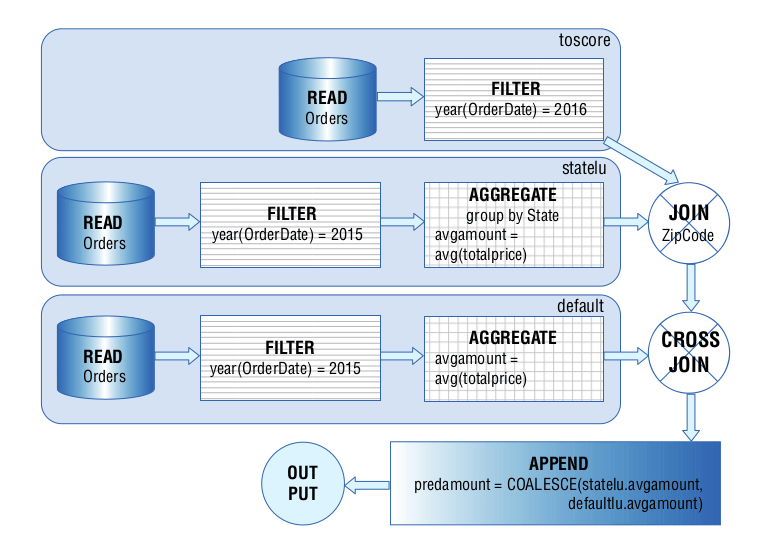
Q: What is a subquery in SQL?
A subquery is a query nested inside another query (the outer query), enclosed in parentheses, and used to return data that the outer query processes. Subqueries can appear in SELECT, FROM, WHERE, or other clauses and are used to break complex problems into smaller, reusable parts.
Syntax:
SELECT column1 FROM table_name WHERE column2 = (SELECT column FROM another_table WHERE condition);
Subqueries can return a single value, a single row, multiple rows, or a table, depending on their structure and use.
Q: Why are subqueries important?
- Break down complex queries into manageable steps (e.g., finding employees with above-average salaries).
- Enable dynamic filtering, comparisons, or derived tables without temporary tables.
- Provide flexibility for tasks that joins alone can't handle efficiently.
- Supported across RDBMS (MySQL, PostgreSQL, SQL Server, SQLite), with minor syntax variations.
2. Single-Row and Multiple-Row Subqueries
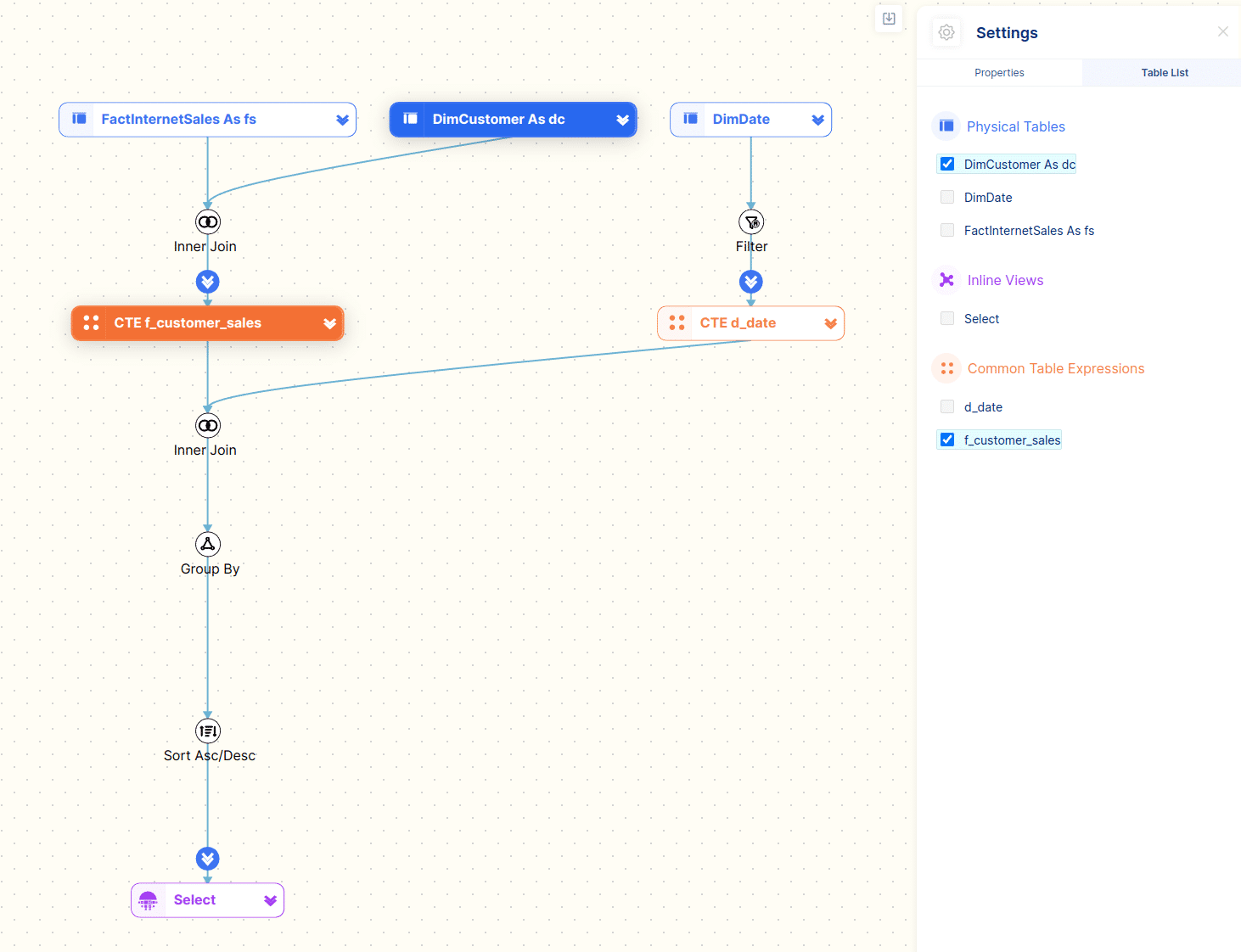
Q: What are single-row and multiple-row subqueries?
- Single-Row Subquery: Returns one row with one column (a single value). Used with operators like
=,>,<.- Example:
(SELECT AVG(Salary) FROM Employees)returns one average salary.
- Example:
- Multiple-Row Subquery: Returns multiple rows (with one or more columns). Used with operators like
IN,ANY,ALL.- Example:
(SELECT EmployeeID FROM Employees WHERE Department = 'IT')returns multiple employee IDs.
- Example:
Q: How do you use single-row and multiple-row subqueries?
- Single-Row: Compare with a single value using
=,>,<, etc.- Example:
WHERE Salary > (SELECT AVG(Salary) FROM Employees WHERE Salary IS NOT NULL)
- Example:
- Multiple-Row: Use with
IN(matches any value),ANY(matches any value with comparison), orALL(matches all values with comparison).- Example:
WHERE DepartmentID IN (SELECT DepartmentID FROM Departments WHERE Location = 'HQ')
- Example:
Q: Can you give an example of single-row and multiple-row subqueries?
-- Create sample tables
CREATE TABLE Employees ( EmployeeID INT PRIMARY KEY, FirstName VARCHAR(50), LastName VARCHAR(50), DepartmentID INT, Salary DECIMAL(10, 2)
); CREATE TABLE Departments ( DepartmentID INT PRIMARY KEY, DepartmentName VARCHAR(50), Location VARCHAR(50)
); -- Insert sample data
INSERT INTO Employees (EmployeeID, FirstName, LastName, DepartmentID, Salary)
VALUES (1, 'John', 'Doe', 1, 60000.00), (2, 'Jane', 'sahil', 2, 55000.00), (3, 'kristal', 'Johnson', 1, 65000.00), (4, 'Ram', 'Williams', NULL, 55000.00), (5, 'hari', 'Brown', 3, NULL); INSERT INTO Departments (DepartmentID, DepartmentName, Location)
VALUES (1, 'IT', 'HQ'), (2, 'HR', 'Branch'), (3, 'Marketing', 'HQ'), (4, 'Sales', 'Branch'); -- Single-row subquery: Employees with salary above average
SELECT FirstName, LastName, Salary
FROM Employees
WHERE Salary > (SELECT AVG(Salary) FROM Employees WHERE Salary IS NOT NULL); -- Multiple-row subquery: Employees in departments at HQ
SELECT FirstName, LastName, DepartmentID
FROM Employees
WHERE DepartmentID IN (SELECT DepartmentID FROM Departments WHERE Location = 'HQ');
Output (Single-Row Subquery):
FirstName | LastName | Salary
----------|----------|--------
kristal | Johnson | 65000.00
Output (Multiple-Row Subquery):
FirstName | LastName | DepartmentID
----------|----------|-------------
John | Doe | 1
kristal | Johnson | 1
hari | Brown | 3
Note:
- Single-row subquery returns one value (average salary ≈ 58750).
- Multiple-row subquery returns DepartmentIDs (1, 3) for HQ locations.
3. Correlated Subqueries


Q: What is a correlated subquery?
A correlated subquery is a subquery that references columns from the outer query, executed repeatedly for each row of the outer query. It's like a loop, making it slower but useful for row-by-row comparisons.
Syntax:
SELECT column1 FROM table1 t1 WHERE column2 = (SELECT column FROM table2 t2 WHERE t2.column = t1.column);
Often used with EXISTS, NOT EXISTS, or comparison operators.
Q: How does a correlated subquery differ from a regular subquery?
- Regular Subquery: Executes once, independently of the outer query, returning a result for the outer query to use.
- Correlated Subquery: Executes for each row of the outer query, using outer query column values, often less performant but more flexible for complex conditions.
Q: Can you give an example of a correlated subquery?
-- Correlated subquery: Employees with salary higher than their department's average
SELECT FirstName, LastName, Salary, DepartmentID
FROM Employees e1
WHERE Salary > ( SELECT AVG(Salary) FROM Employees e2 WHERE e2.DepartmentID = e1.DepartmentID AND Salary IS NOT NULL
);
Output:
FirstName | LastName | Salary | DepartmentID
----------|----------|----------|-------------
kristal | Johnson | 65000.00 | 1
Note:
- The subquery calculates the average salary for each employee's department (
e2.DepartmentID = e1.DepartmentID). - Executes for each row in
Employees, comparingSalaryto the department's average.
4. Subqueries in SELECT, FROM, and WHERE Clauses
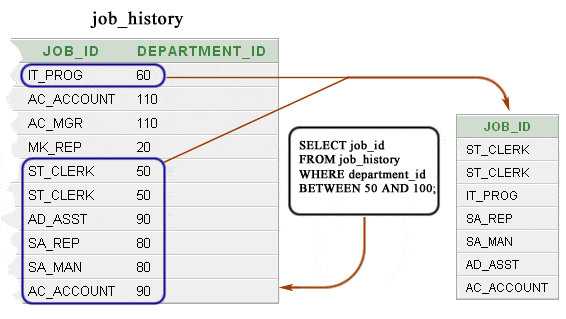
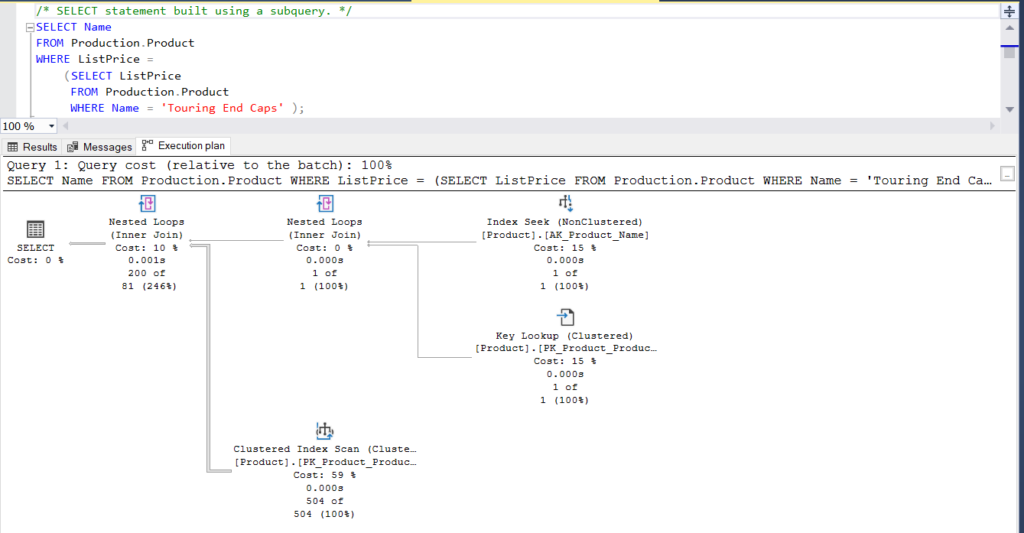
Q: How are subqueries used in SELECT, FROM, and WHERE clauses?
- SELECT Clause: Subquery returns a single value or row to include as a column in the result. Must return one value per row.
- Example:
(SELECT DepartmentName FROM Departments WHERE DepartmentID = e.DepartmentID)as a column.
- Example:
- FROM Clause: Subquery creates a derived table (temporary result set) to join or query.
- Example:
FROM (SELECT DepartmentID, AVG(Salary) AS AvgSalary FROM Employees GROUP BY DepartmentID) AS dept_avg.
- Example:
- WHERE Clause: Subquery filters rows based on a condition (single-row with
=, multiple-row withIN, or correlated).- Example:
WHERE DepartmentID IN (SELECT DepartmentID FROM Departments WHERE Location = 'HQ').
- Example:
Q: Can you give an example of subqueries in SELECT, FROM, and WHERE?
-- Subquery in SELECT: Get department name for each employee
SELECT FirstName, LastName, (SELECT DepartmentName FROM Departments d WHERE d.DepartmentID = e.DepartmentID) AS DepartmentName
FROM Employees e
WHERE Salary IS NOT NULL; -- Subquery in FROM: Join with derived table of department averages
SELECT e.FirstName, e.LastName, e.Salary, dept_avg.AvgSalary
FROM Employees e
JOIN ( SELECT DepartmentID, AVG(Salary) AS AvgSalary FROM Employees WHERE Salary IS NOT NULL GROUP BY DepartmentID
) dept_avg ON e.DepartmentID = dept_avg.DepartmentID
WHERE e.Salary > dept_avg.AvgSalary; -- Subquery in WHERE: Employees in HQ departments
SELECT FirstName, LastName, DepartmentID
FROM Employees
WHERE DepartmentID IN ( SELECT DepartmentID FROM Departments WHERE Location = 'HQ'
);
Output (SELECT Subquery):
FirstName | LastName | DepartmentName
----------|-----------|---------------
John | Doe | IT
Jane | sahil | HR
kristal | Johnson | IT
Ram | Williams | NULL
Output (FROM Subquery):
FirstName | LastName | Salary | AvgSalary
----------|----------|----------|----------
kristal | Johnson | 65000.00 | 62333.33
Output (WHERE Subquery):
FirstName | LastName | DepartmentID
----------|----------|-------------
John | Doe | 1
kristal | Johnson | 1
hari | Brown | 3
Note:
SELECTsubquery retrieves department names per employee (single-row).FROMsubquery creates a derived table of department averages for joining.WHEREsubquery filters employees in HQ departments (multiple-row).
5. Comprehensive Example Combining All Subquery Concepts
Q: Can you provide a comprehensive example using single-row, multiple-row, correlated subqueries, and subqueries in SELECT, FROM, and WHERE?
-- Create sample tables (already created, repeated for context)
CREATE TABLE Employees ( EmployeeID INT PRIMARY KEY, FirstName VARCHAR(50), LastName VARCHAR(50), DepartmentID INT, Salary DECIMAL(10, 2)
); CREATE TABLE Departments ( DepartmentID INT PRIMARY KEY, DepartmentName VARCHAR(50), Location VARCHAR(50)
); -- Insert sample data (already inserted, repeated for context)
INSERT INTO Employees (EmployeeID, FirstName, LastName, DepartmentID, Salary)
VALUES (1, 'John', 'Doe', 1, 60000.00), (2, 'Jane', 'sahil', 2, 55000.00), (3, 'kristal', 'Johnson', 1, 65000.00), (4, 'Ram', 'Williams', NULL, 55000.00), (5, 'hari', 'Brown', 3, NULL); INSERT INTO Departments (DepartmentID, DepartmentName, Location)
VALUES (1, 'IT', 'HQ'), (2, 'HR', 'Branch'), (3, 'Marketing', 'HQ'), (4, 'Sales', 'Branch'); -- Comprehensive query combining all subquery types
SELECT e.FirstName, e.LastName, e.Salary, (SELECT DepartmentName FROM Departments d WHERE d.DepartmentID = e.DepartmentID) AS DepartmentName, -- Single-row subquery in SELECT (SELECT AVG(Salary) FROM Employees WHERE DepartmentID = e.DepartmentID AND Salary IS NOT NULL) AS DeptAvgSalary -- Correlated subquery in SELECT
FROM ( SELECT DepartmentID, AVG(Salary) AS AvgSalary FROM Employees WHERE Salary IS NOT NULL GROUP BY DepartmentID
) dept_avg -- Subquery in FROM
JOIN Employees e ON e.DepartmentID = dept_avg.DepartmentID
WHERE e.Salary > ( SELECT AVG(Salary) FROM Employees WHERE Salary IS NOT NULL
) -- Single-row subquery in WHERE
AND e.DepartmentID IN ( SELECT DepartmentID FROM Departments WHERE Location = 'HQ'
) -- Multiple-row subquery in WHERE
GROUP BY e.FirstName, e.LastName, e.Salary, e.DepartmentID
HAVING e.Salary > (SELECT AVG(Salary) FROM Employees WHERE DepartmentID = e.DepartmentID AND Salary IS NOT NULL) -- Correlated subquery in HAVING
ORDER BY e.Salary DESC
LIMIT 2; -- MySQL/PostgreSQL/SQLite (use TOP 2 for SQL Server)
Output:
FirstName | LastName | Salary | DepartmentName | DeptAvgSalary
----------|----------|----------|----------------|--------------
kristal | Johnson | 65000.00 | IT | 62333.33
Description:
SELECT:Uses single-row subquery for department name and correlated subquery for department average salary.FROM:Joins with a derived table (subquery) of department averages.WHERE:Filters with single-row subquery (above overall average salary) and multiple-row subquery (HQ departments).HAVING:Uses correlated subquery to filter groups with above-department-average salaries.- Combines prior concepts (
GROUP BY,HAVING,ORDER BY,LIMIT).
6. Common Mistakes and Best Practices
Q: What are common mistakes when using subqueries in SQL?
Single-Row Subqueries:
- Returning multiple rows when a single value is expected, causing errors (e.g.,
WHERE column = (SELECT multiple_rows)). - Assuming
NULLresults are handled correctly (useCOALESCEor check forNULL).
Multiple-Row Subqueries:
- Using
=instead ofINfor multiple-row results, causing errors. - Overusing
INwith large subqueries, impacting performance.
Correlated Subqueries:
- Writing inefficient correlated subqueries that execute for every row, slowing queries.
- Forgetting outer query column references, leading to incorrect results.
Subqueries in Clauses:
- Using complex subqueries in
SELECTorWHEREwhen joins are more efficient. - Nesting too many subqueries, making queries hard to read and maintain.
General:
- Ignoring RDBMS-specific limits (e.g., SQLite's subquery nesting limits).
- Forgetting to handle
NULLs in subquery results.
Q: What are best practices for using subqueries in SQL?
Single-Row Subqueries:
- Ensure the subquery returns exactly one row (use
LIMIT 1or aggregates likeMAX). - Use with
=,>,<for comparisons. - Handle
NULLs withCOALESCEorIS NULLchecks.
Multiple-Row Subqueries:
- Use
IN,ANY, orALLappropriately (e.g.,Salary > ALL (subquery)for exceeding all values). - Consider joins for large subqueries to improve performance.
Correlated Subqueries:
- Use sparingly; prefer joins or
GROUP BYfor better performance. - Ensure outer query references are clear (e.g., use table aliases).
- Index columns used in correlated subqueries (e.g.,
CREATE INDEX ON Employees(DepartmentID)).
Subqueries in Clauses:
- Use
SELECTsubqueries for per-row calculations, ensuring single values. - Use
FROMsubqueries for derived tables, aliasing them clearly (e.g.,AS temp). - Use
WHEREsubqueries for filtering, combining withINor comparisons.
General:
- Comment subqueries for clarity (e.g.,
-- Get average salary). - Test subqueries independently to verify results.
- Use
EXPLAINorEXPLAIN ANALYZEto optimize performance, especially for correlated subqueries. - Replace complex subqueries with Common Table Expressions (CTEs) for readability (if supported).
- Use indexes on columns used in subquery conditions or joins.